Light, fast,
battery-friendly IPTV
Built on RustMedia, our own playback engine, with hardware-only video decoding. Load an m3u / txt playlist and tap to play. The Android app is just 3.3 MB.
- iPhone · iPad
- Android phones · tablets
- Apple TV · Android TV
- 0.26s
From tap to moving picture
- 10%
App CPU while playing 1080i
- 3.3MB
Android download size
- 12ms
To parse a 20,000-channel playlist
Our own engine
RustMedia: a playback engine built for live streams
Streaming protocols, demuxing and bitstream handling are all written in Rust in-house, and iPhone, Apple TV and Android share the same code. No bundled FFmpeg: networking goes through the system stack, decoding runs on the chip's hardware decoder, and frames go straight to the screen.
- System network stackHTTP · TLS · proxy follow the OS
- Source detectionFormat from the URL and first bytes
- Protocols & demuxTS · FLV · HLS · RTMP · RTSP · multicast
- Bitstream prepParameter sets · keyframes · field pairing · timestamps
- Hardware decodeVideoToolbox · MediaCodec
- Straight to screenSystem layer compositing, no pixel copies
Light
The engine is about 1 MB with a single audio library dependency. The Android app is 3.3 MB; iPhone, iPad and Apple TV share one app.
One codebase, four platforms
Playlist parsing, demuxing, start-up strategy and catch-up rules live in the engine. Fix once, and every platform behaves the same.
Pure compute, no networking
The engine has no HTTP or TLS of its own. Proxies, certificates and HTTP/2 follow the system, which also saves power.
Solid
Every entry point is crash-guarded and every buffer for malformed streams is capped. 90 channel switches in a row: no memory growth, no crash.
Start-up speed
Tap, and it's moving
Joining a live stream means waiting for a keyframe. RustMedia shows the first keyframe immediately; if the buffer is short it plays at 0.92× while it catches up, with pitch-corrected audio, then returns to normal speed.
From tap to moving picture
App CPU during playback
- Connect on touchThe connection starts the moment your finger lands on a channel, so data is already flowing when the player opens.
- FCC fast channel changeWorks with operator FCC servers (Telecom / ZTE / FiberHome and Huawei styles): playback starts from the latest keyframe and switches seamlessly from unicast to multicast.
- Fast on tricky sources tooStreams without IDR frames start from an I-frame carrying parameter sets, and open-GOP leading frames are dropped. No smearing, no black screen.
- 4K is fast tooA 4K H.265 Main10, 50 fps, 36 Mbps live stream shows its first picture in 0.35 s on a TV box.
Test setup: Snapdragon 8 Elite phone, Android 16, release build; 1080i H.264 multicast-over-HTTP source; connect-on-touch, median of 5 runs. The comparison is Media3 ExoPlayer on the same phone and source, also hardware-decode only. 4K figure from a Realtek-based TV box; playlist parsing timed in the engine alone.
Live previews
Every channel, a live snapshot
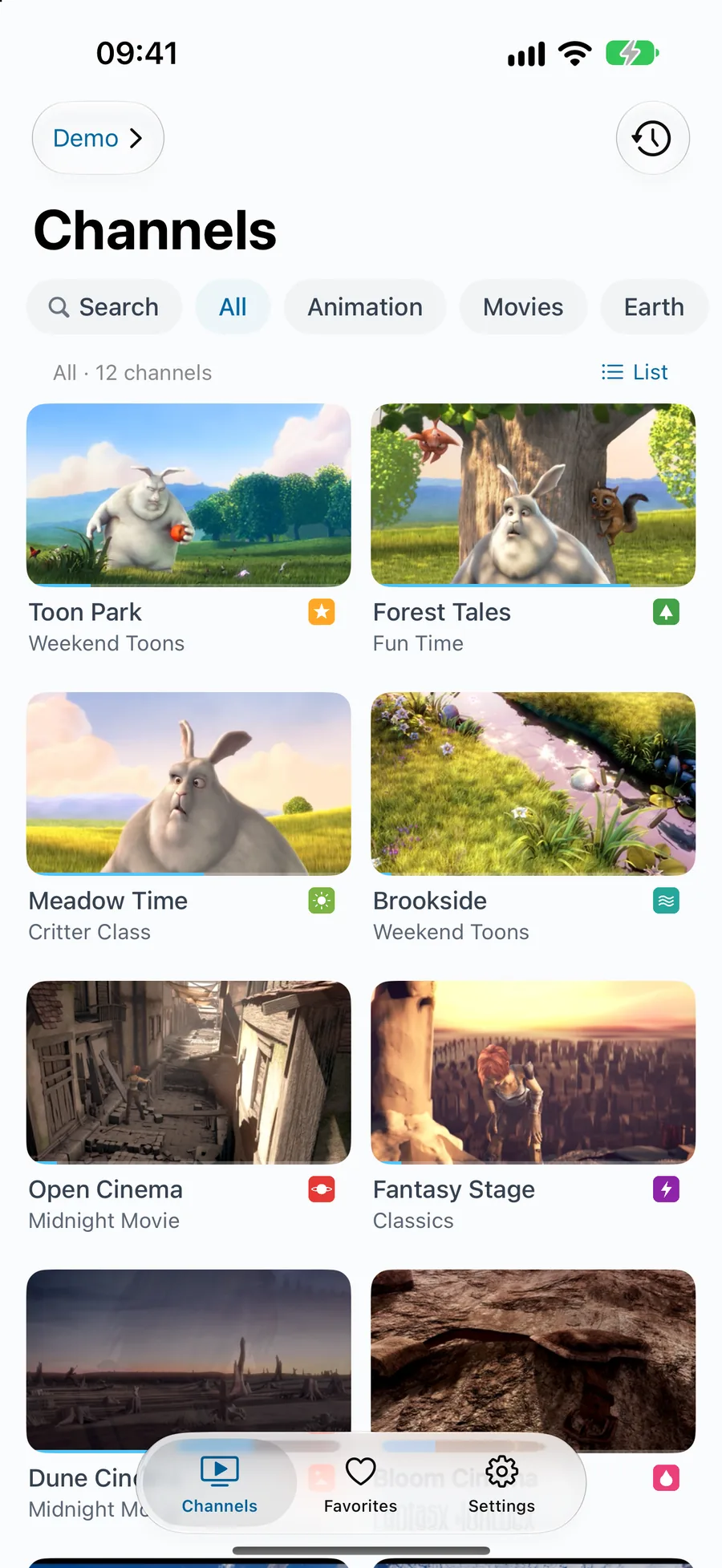
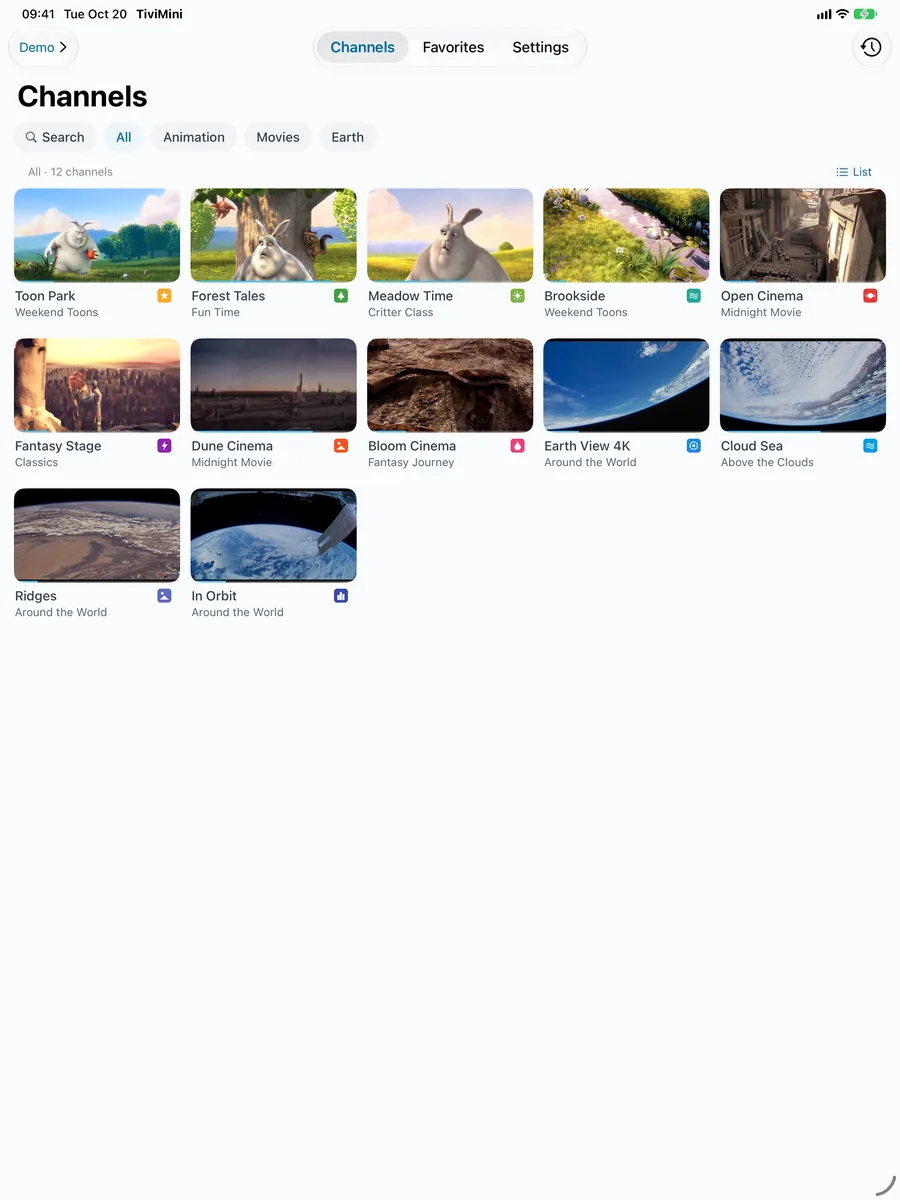
The home screen tiles show a fresh frame from each channel, not a logo, so you can see what's on at a glance.
- Only what you can seeOnly on-screen channels are captured. Nothing while you scroll fast; capture starts when you stop.
- Stops at the first frameDisconnects at the first keyframe, decodes one frame in hardware and shrinks it. About 0.1–0.2 s each.
- No repeat capturesSnapshots aren't refreshed automatically, saving data and battery. Refresh from the channel options any time.
- Your data, your callCapture on Wi-Fi only, always, or turn previews off and show logos.
Protocols & formats
Common live sources, natively
No transcoding, no plug-ins. Everything below plays natively in RustMedia or the system player.
Streaming protocols
- HTTP / HTTPS raw TS
- HLS · TS segments
- HLS · fMP4 / encrypted
- HTTP-FLV
- RTMP
- RTMPS
- Enhanced RTMP (H.265)
- RTSP
- RTSPS
- RTSP over TCP
- RTSP over UDP
- MPEG-TS over RTP
- UDP multicast
- RTP multicast
- SSM source-specific multicast
- UDP unicast
- FCC fast channel change
- MP4 on demand
Relays & networking
- udpxy
- msd_lite
- rtp2httpd
- Operator IPTV networks
- HTTP 302 redirects
- RTSP redirects
- Custom redirects
- Per-host request headers
Video codecs
- H.264 / AVC
- H.265 / HEVC
- 10-bit Main10
- 4K · 50 / 60 fps
- Interlaced 1080i
- PAFF field coding
- MBAFF
Audio codecs
- AAC · ADTS
- AAC · LATM / LOAS
- AAC 5.1
- MP2
- MP3
- AC3 (Dolby Digital)
- E-AC3 (Dolby Digital Plus)
- G.711 A-law / μ-law
Playlists & guides
- m3u / m3u8
- txt (with #genre# groups)
- XMLTV guide
- gzip guide
- tvg-id · tvg-name · tvg-logo
- Multiple lines per channel
- Multiple playlists
Catch-up & auth
- Catch-up default · append
- shift · timeshift
- flussonic
- xc
- vod
- RTSP Basic / Digest auth
- Custom User-Agent · Referer
What system players can't play, RustMedia can
- MP2 audio inside HLS
- H.265 in TS segments
- TS segments disguised as images
- Live streams without IDR frames
- UDP-only RTSP servers
- Huawei / ZTE-style RTSP
Video is hardware-decoded only. If a device has no hardware decoder for a codec (such as MPEG-2 or AVS2), TiviMini says so clearly instead of quietly falling back to software decoding and heating up your device.
Power
Battery life comes first
Hardware decoding only
Video goes to the chip's dedicated decoder; the CPU barely takes part.
Direct-to-screen video
Hardware layer compositing; zero UI redraws during playback.
No preloading
No connections to other channels in advance. In the background, CPU and network drop to zero.
Zero data when nothing changed
Playlists and guides ask the server first. Unchanged means no download, no parsing, no redraw.
Native UI
UIKit and Android system views, no cross-platform framework: quick to launch, light on memory.
Fewer wake-ups
Network data is batched for about 40 ms before reaching the engine, cutting network-thread CPU from 6.6% to 0.7%.
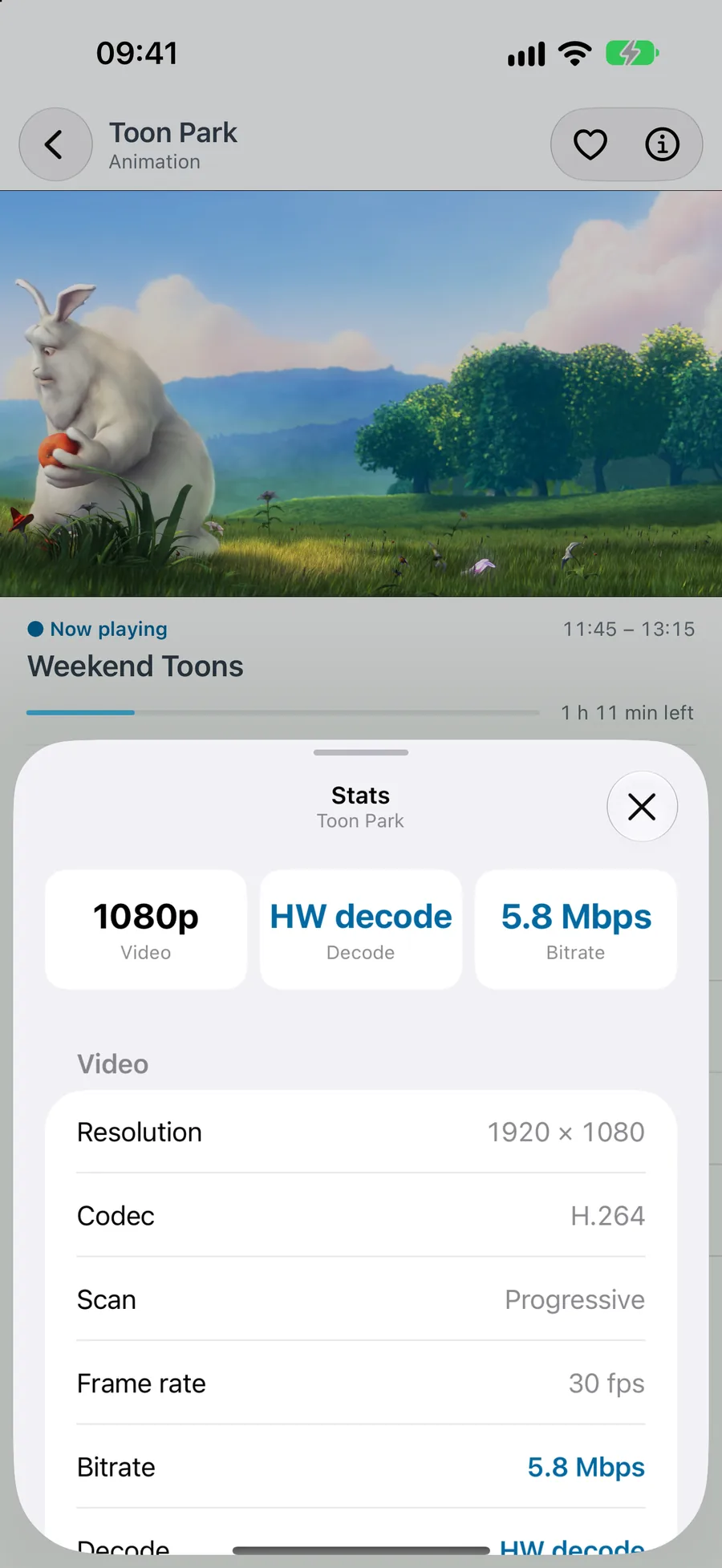
Apple's hardware decoders don't support interlaced H.264; that one case uses the system's built-in decoder, and the info panel says so.
Everywhere
Phone, tablet, TV — one experience
Each platform uses its native UI, designed around how you actually use it.
Apple TV · Android TV
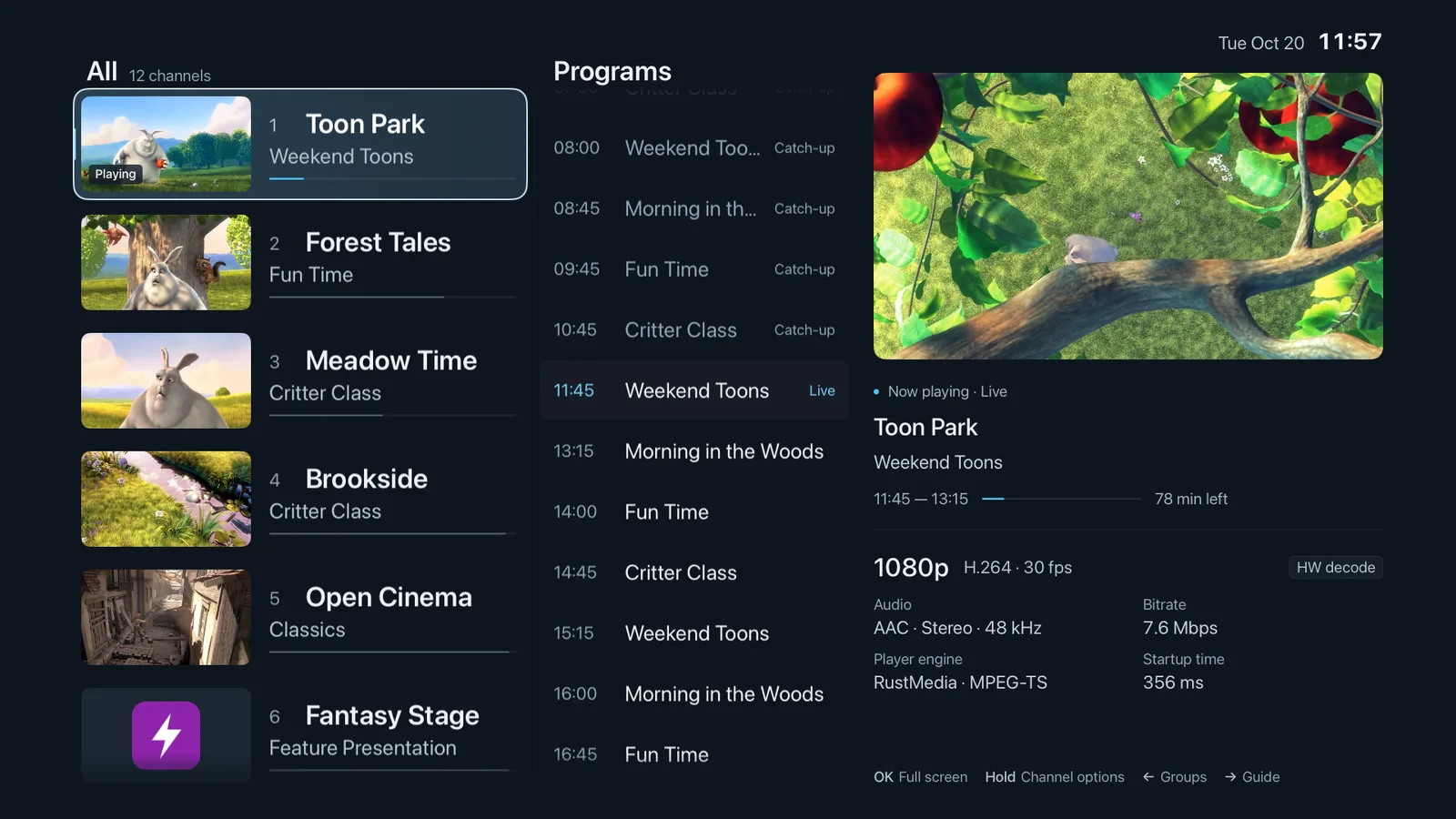
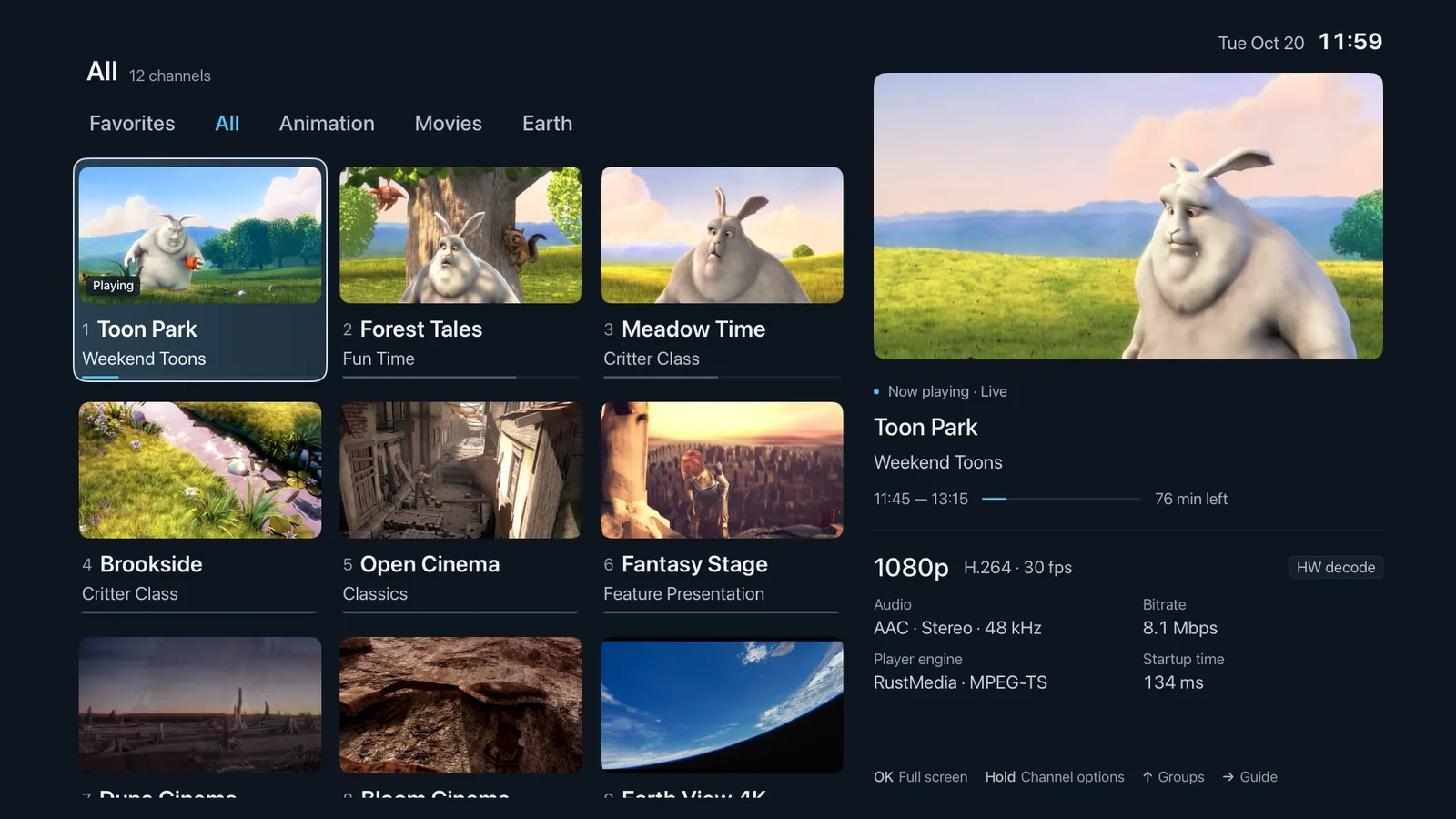
tvOS 18 · Android 10 or later- Guide-first home with list and grid layouts
- Full remote control and number-key zapping
- Add sources and edit custom playback from your phone by QR code
- Apple TV: motion-adaptive deinterlacing for 1080i, 25i to 50p
- Apple TV: Dolby AC3 / E-AC3 output per system settings
- Android TV: native multicast and FCC on IPTV networks
- Android TV: Dolby audio fallback when the system lacks it
- Android TV: one-tap in-app updates
Swipe for more screenshots
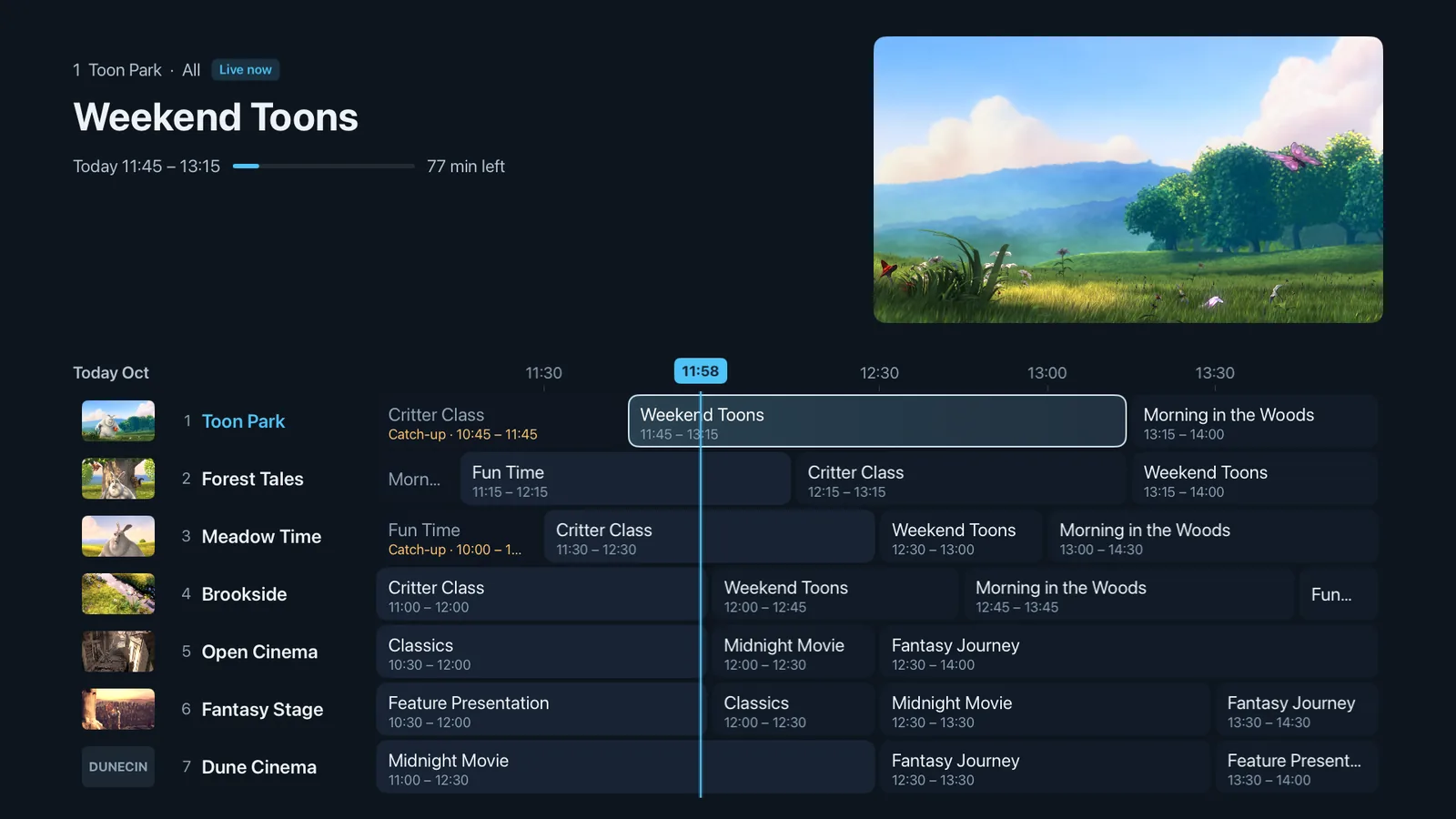

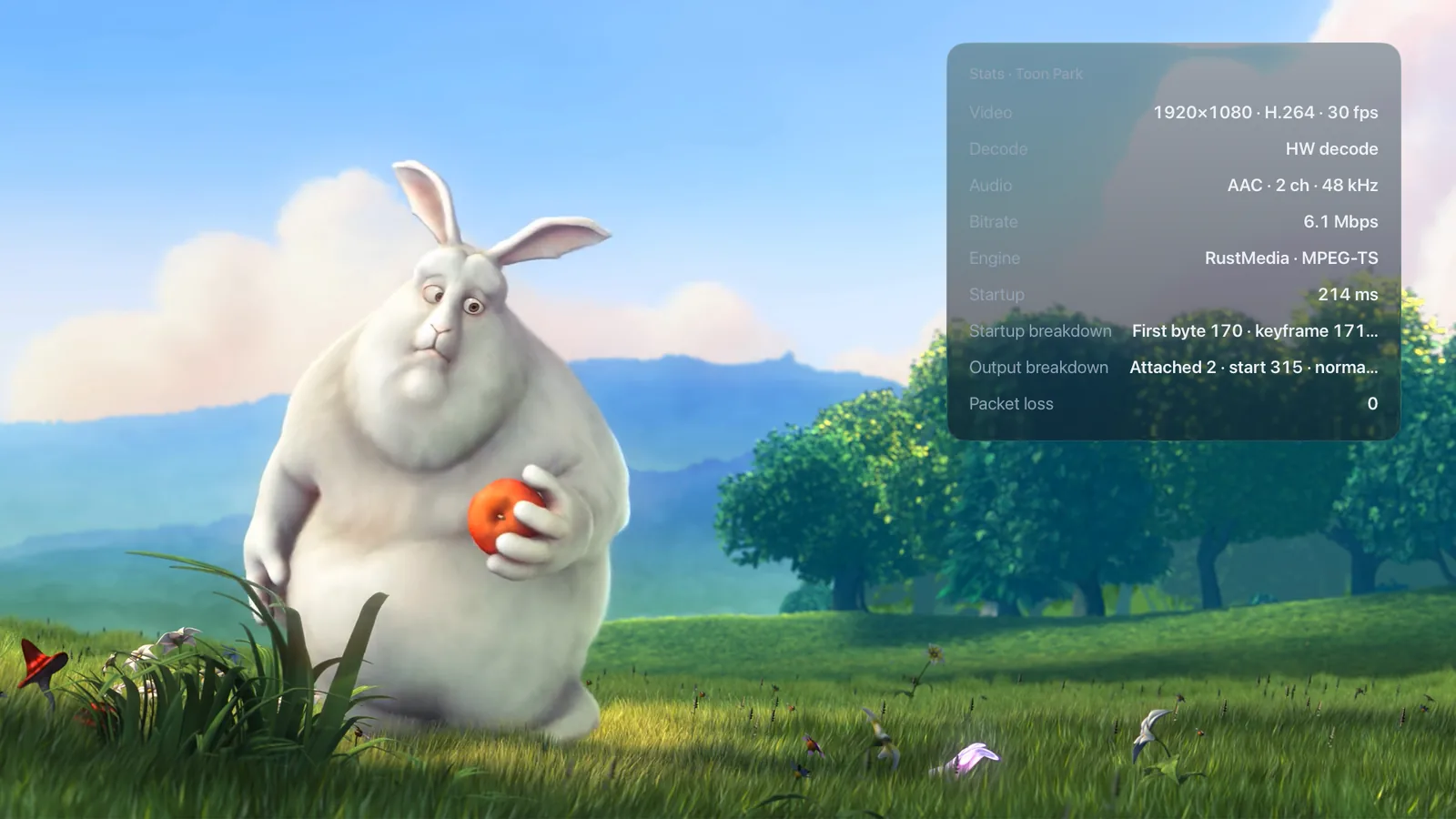
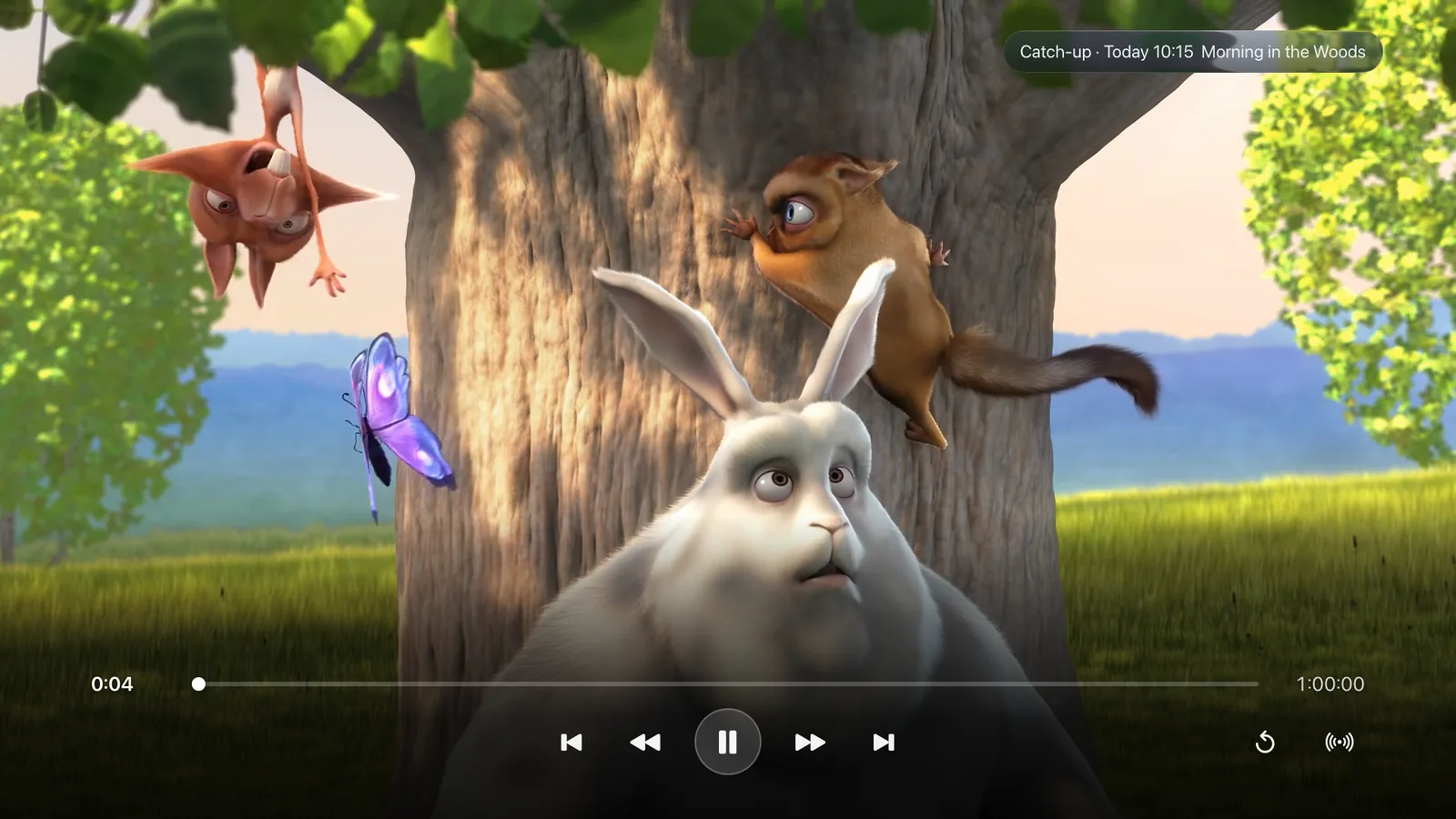
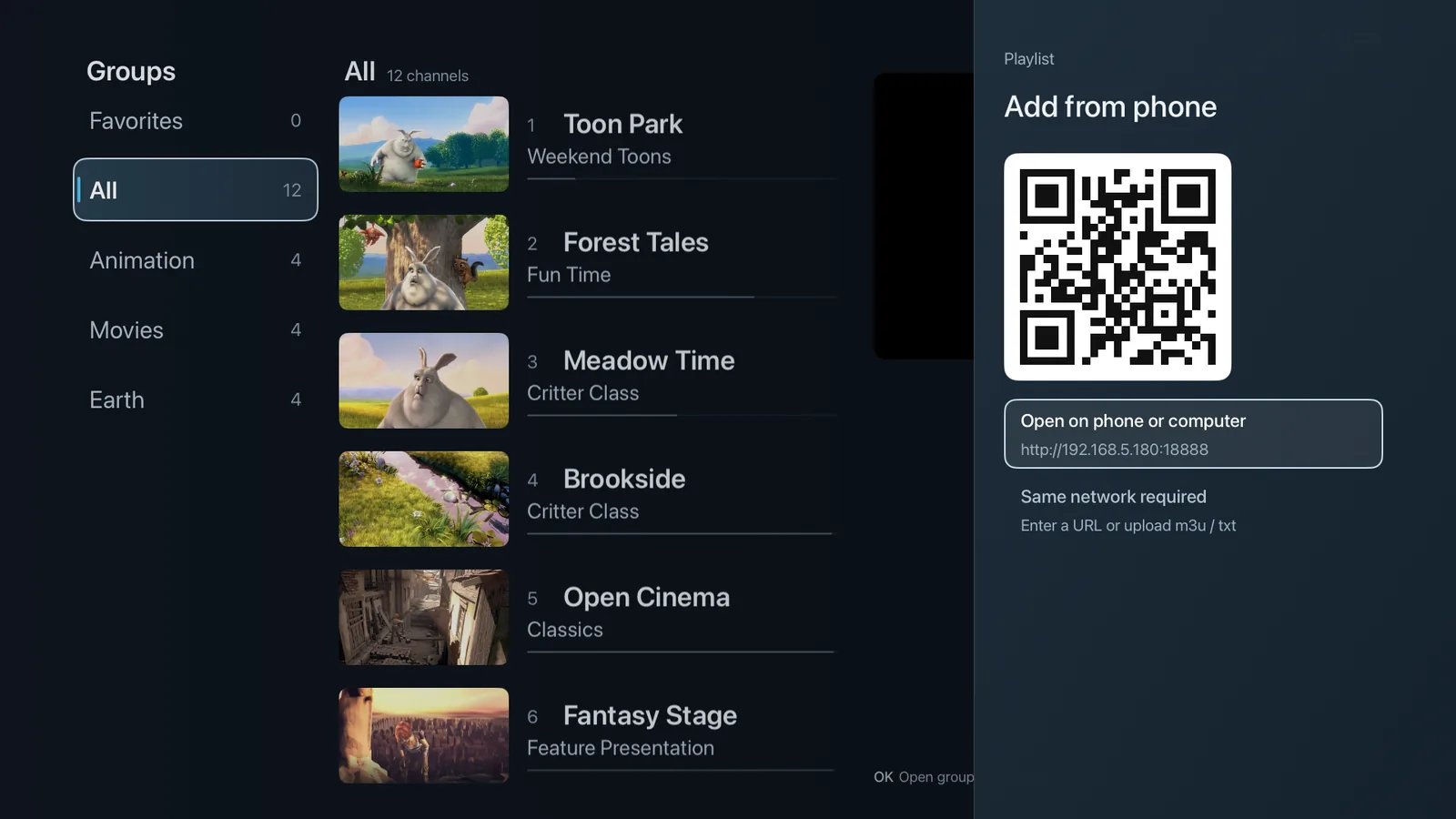
Both share the same TV interface; screenshots taken on Apple TV.
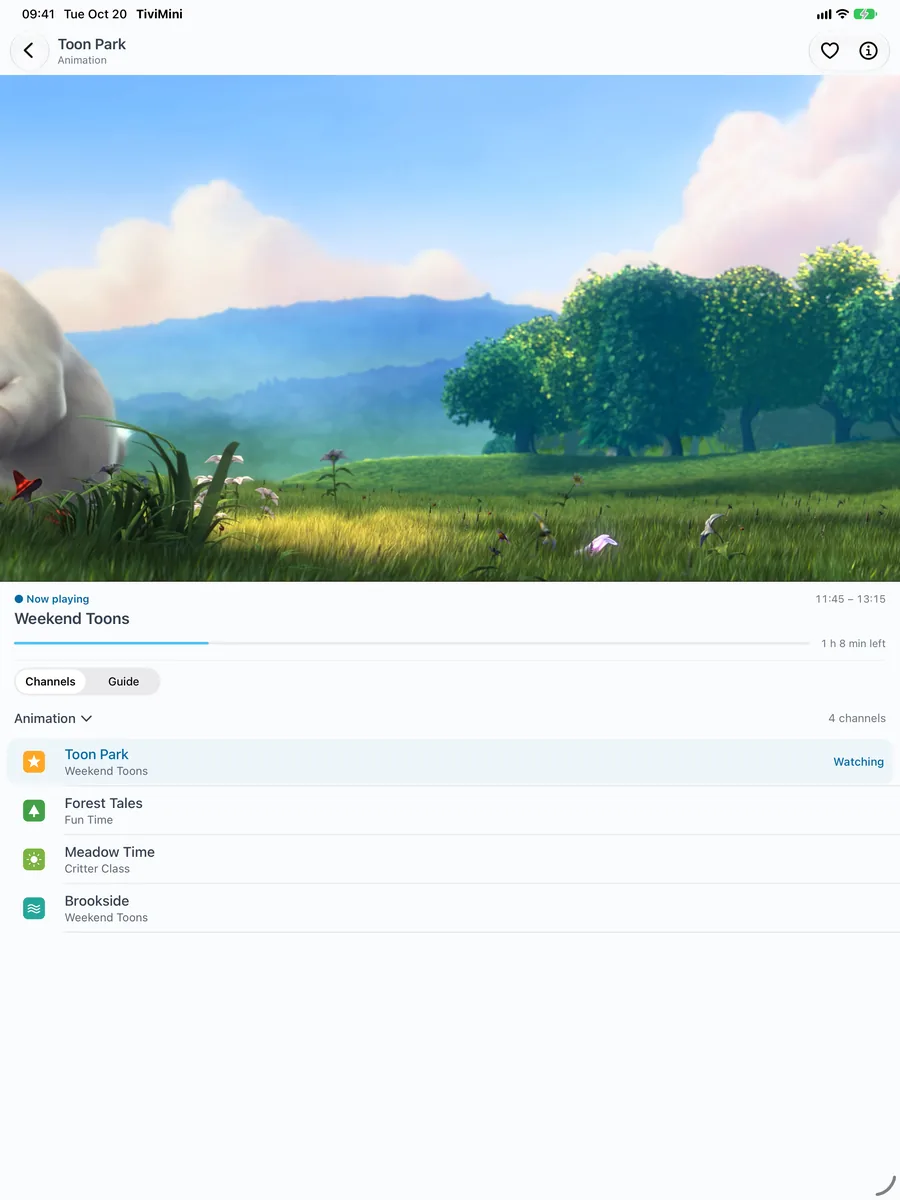
iPhone · iPad
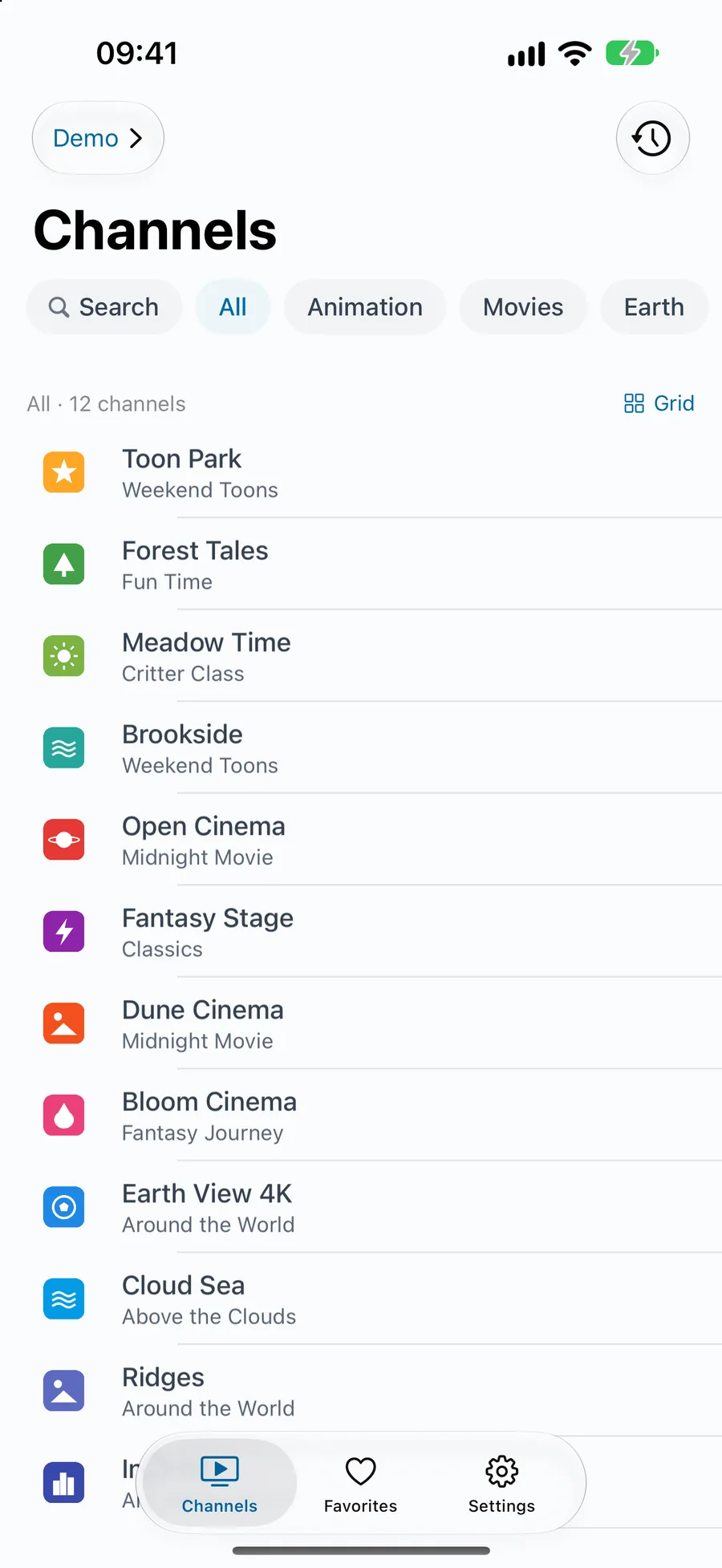
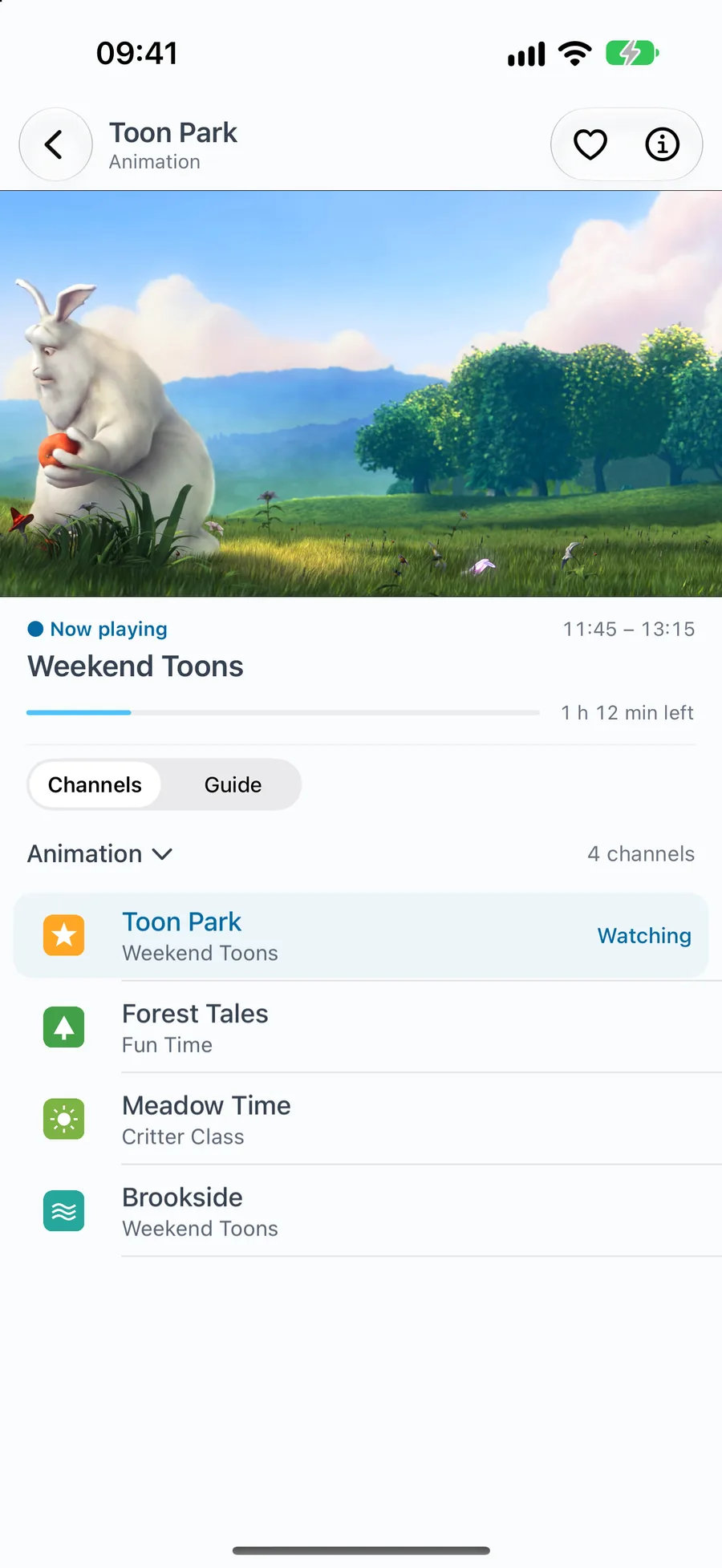
iOS / iPadOS 18 or later- Live preview tiles on the home screen
- Swipe up or down to change channels
- Picture in Picture
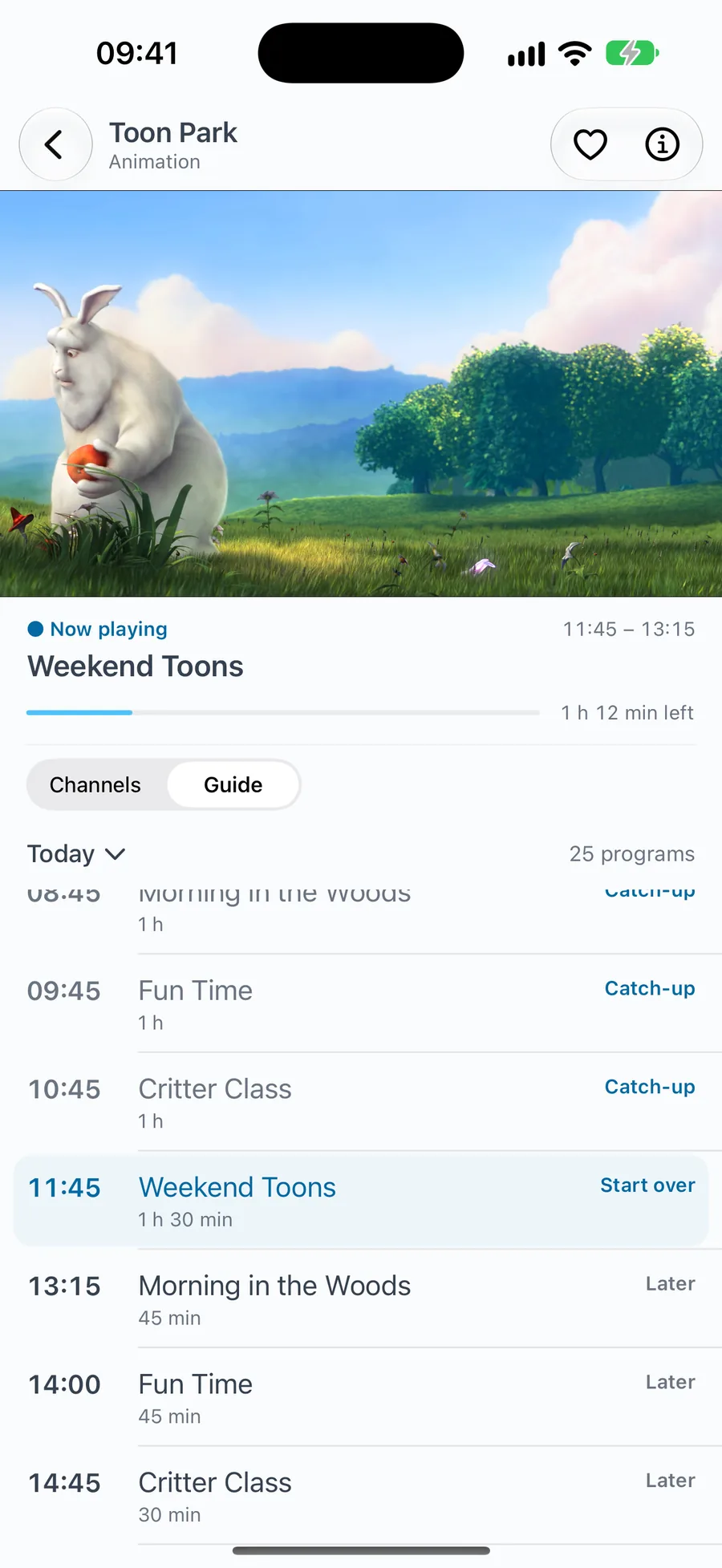
- Programme guide and catch-up
- Favourites, history, multiple playlists
Swipe for more screenshots
Android phones · tablets
Android 10 or later- 3.3 MB download
- Switch between RustMedia and ExoPlayer engines
- Picture in Picture
- Programme guide and catch-up
- One-tap in-app updates
Swipe for more screenshots
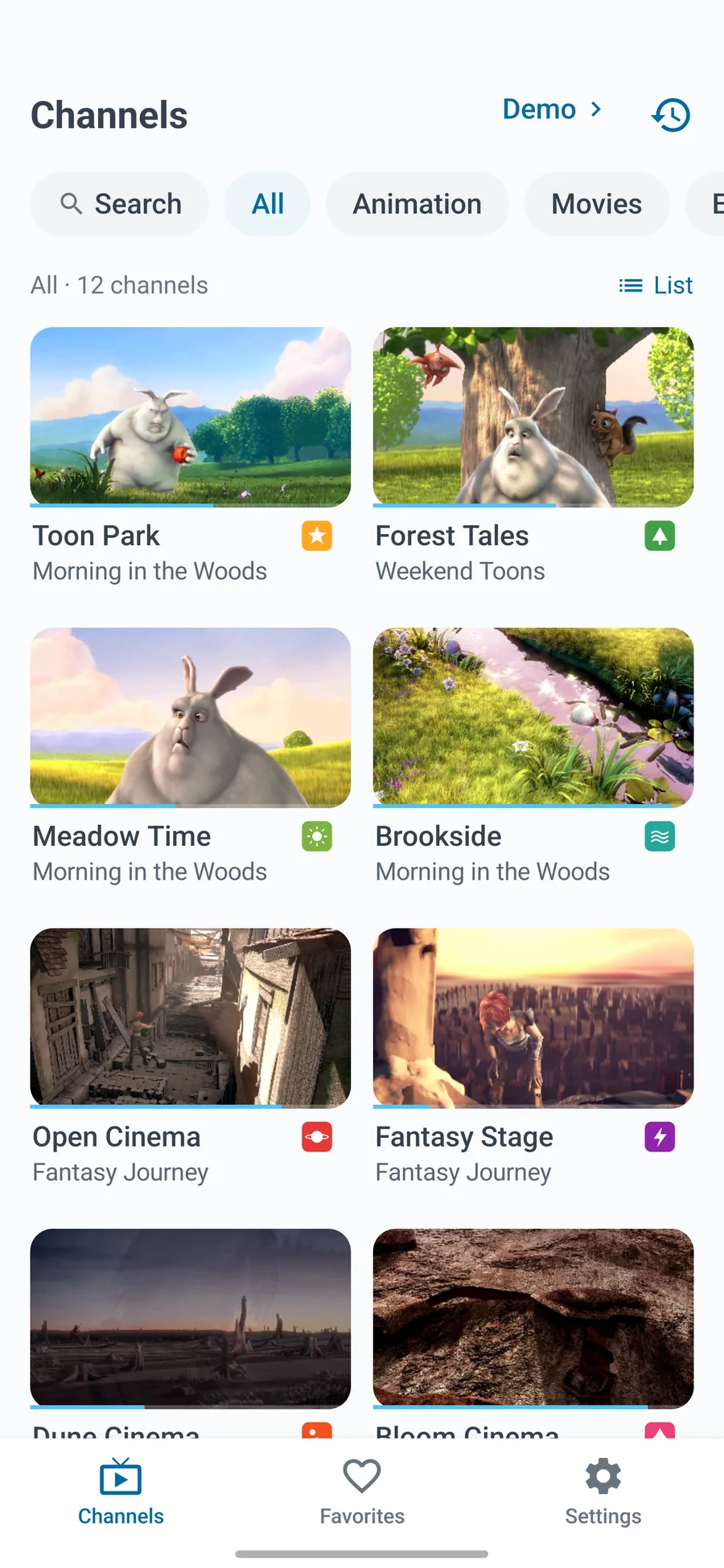
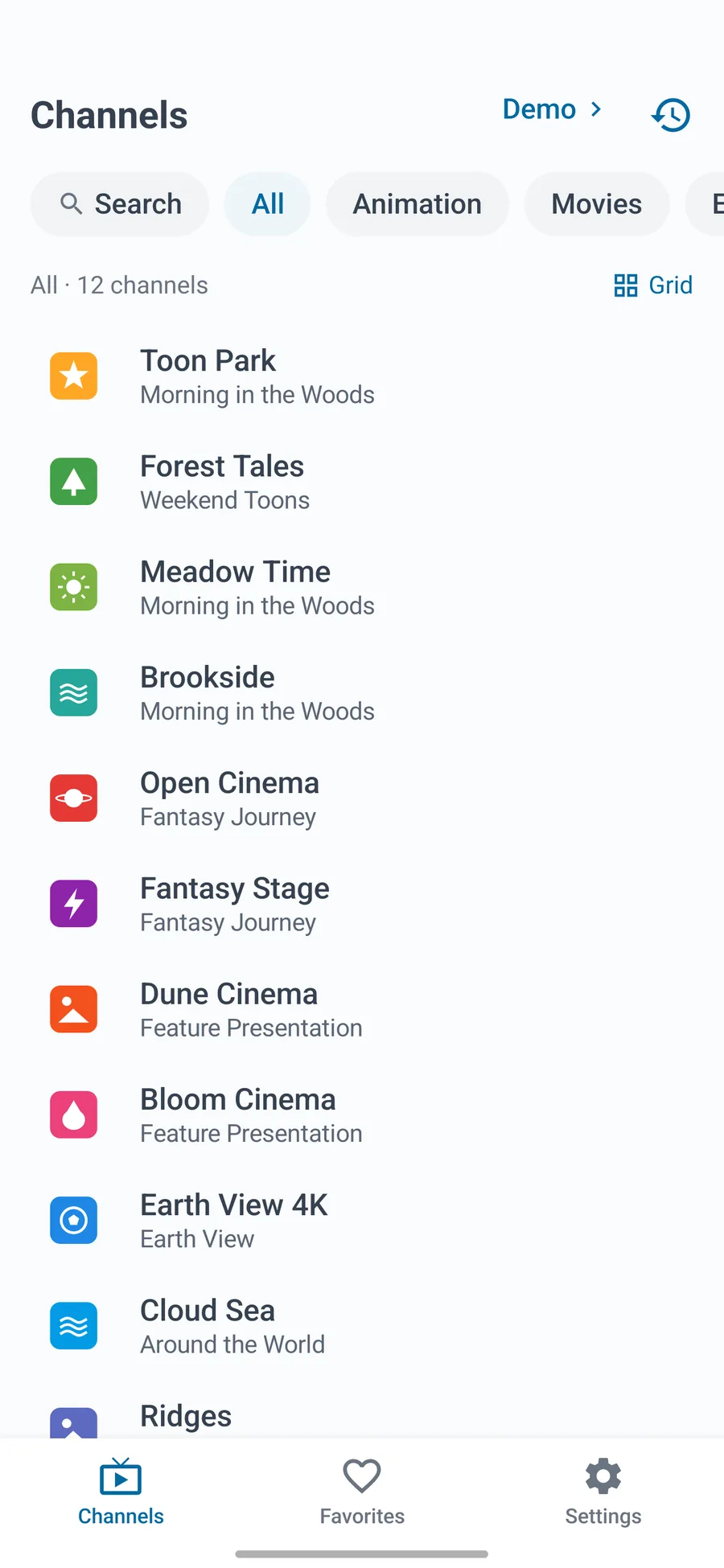
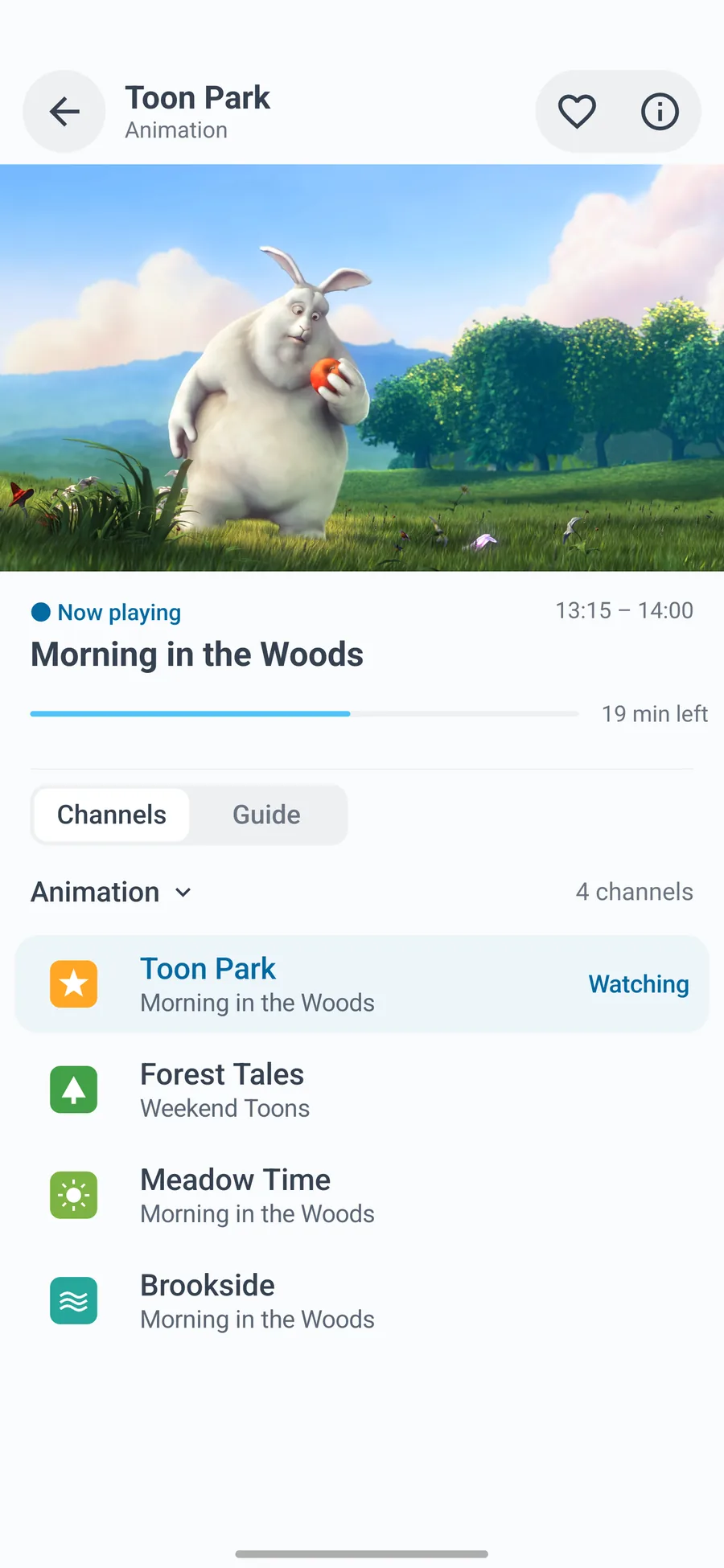
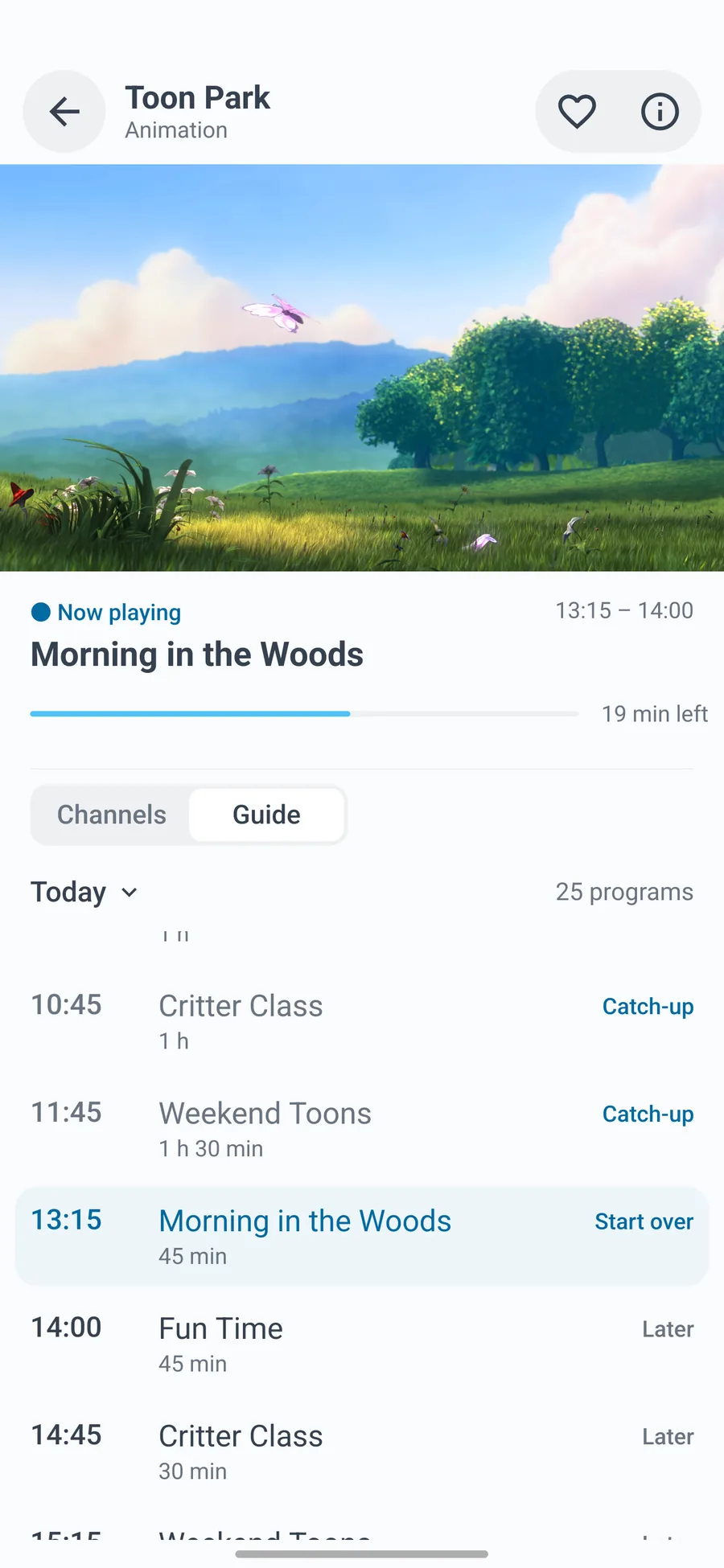
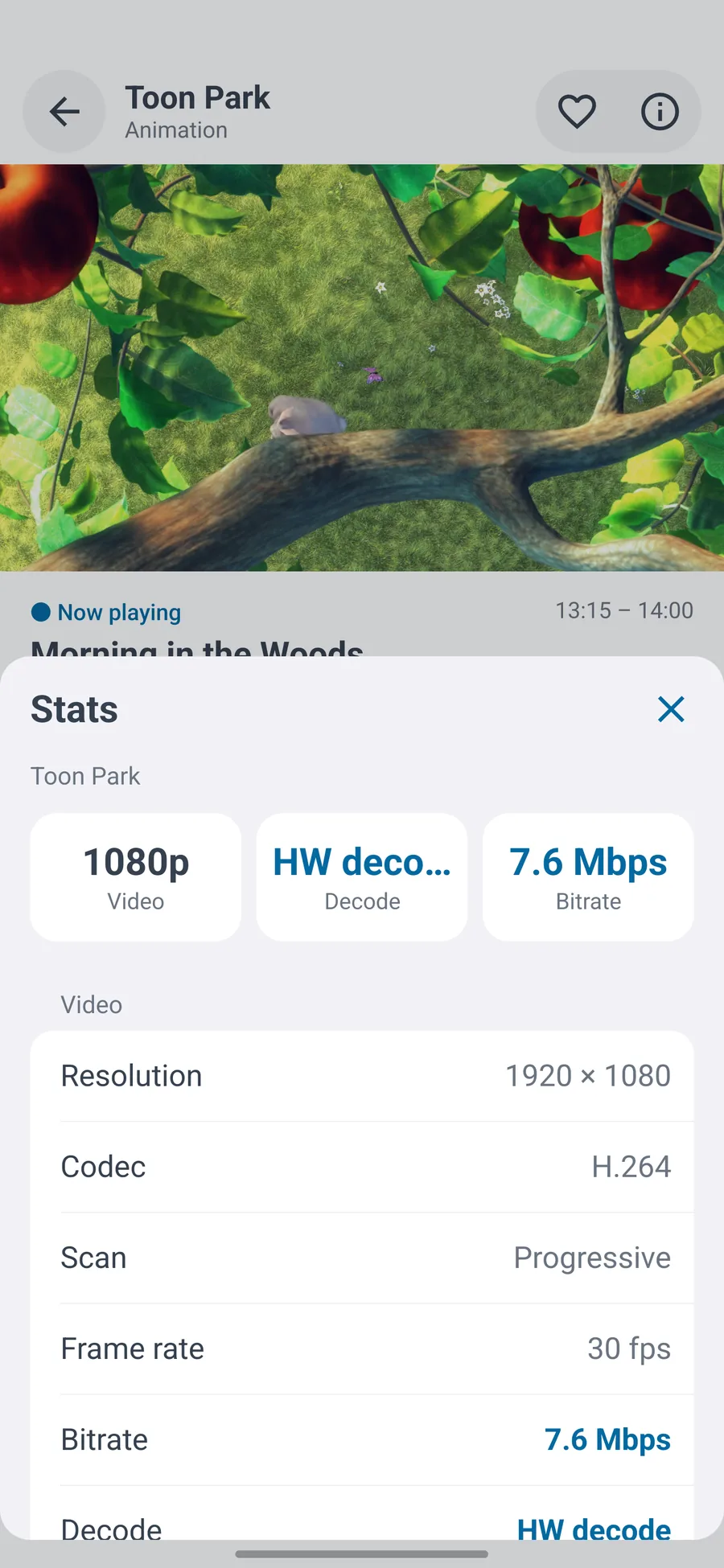
Channel names, logos and programme guides in the screenshots are fictional demo content.
More highlights
Everything you need, nothing you don't
Catch-up
Works with the common catch-up formats, 7 days by default. Scrub within a programme; the next one plays automatically.
Programme guide
Streaming XMLTV parser; channels matched automatically by tvg-id, name and common short names.
Custom playback
Rewrite redirects and set request headers per host, including *.domain and IP ranges. Misconfigurations can't loop forever.
Multiple lines
Channels with the same name merge into one with several lines. Switch in one tap; your choice is remembered.
Live previews
Only visible channels are captured, never while scrolling fast. Logos are cached at display size.
Update check on open
304s and content comparison mean no redraw when nothing changed, and no checks in the first 5 s of playback.
Info panel
Bitrate, resolution, frame rate, packet loss, decoder, and how long each start-up step took.
Three languages
Simplified Chinese, Traditional Chinese and English. Follows the system, or pick one yourself.
TiviMini is a player only. It doesn't provide any channels, programmes or playlists. Please use sources you're entitled to watch.